整理文档,搜刮出一个JavaScript实现的可变动态数字键盘控件方式实例代码,稍微整理精简一下做下分享。
@sunRainAmazing
JavaScript编写和实现的可变动态键盘密码输入控件,可以动态的生产数字键盘并显示,并且可以实现每次点击后密码键盘重新加载,可以手动刷新功能。
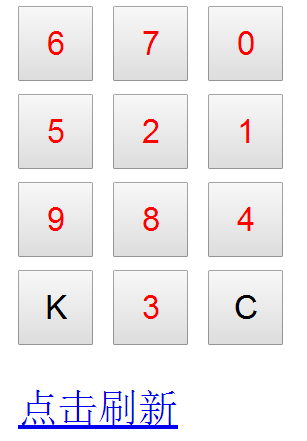
第一种方式,点击查看:
<!DOCTYPE html>
<html lang="en">
<head>
 <meta charset="UTF-8">
 <title>洗牌算法dynamicKeyboard</title>
 <style>
 .s{color:red;}
 button{width:30px;height:30px; margin-top:5px;text-align: center;}
 </style>
</head>
<body>
 <div>
 <button id="s1" class="s"></button>
 <button id="s2" class="s"></button>
 <button id="s3" class="s"></button>
 <div>
 <div>
 <button id="s4" class="s"></button>
 <button id="s5" class="s"></button>
 <button id="s6" class="s"></button>
 <div>
 <div>
 <button id="s7" class="s"></button>
 <button id="s8" class="s"></button>
 <button id="s9" class="s"></button>
 <div>
 <div>
 <button id="sa" >K</button>
 <button id="s0" class="s"></button>
 <button id="sb" >C</button>
 <div>
 <p>
 <a href="javascript:void(0);" id="keyboard">点击刷新</a>
 </p>
 <script src="http://cdn.bootcss.com/jquery/1.11.3/jquery.min.js"></script>
 <script type="text/javascript">

 function changeKeyboard(){
 var arr = shuffling();
 var sp = $(".s");
 console.log(sp);
 for (var i = 0; i < sp.length; i++) {
 $(sp[i]).text(arr[i]);
 }

 /**
 * //选择两个[0...array.Length)之间的随机数,
 * 把它们做下标的两个元素交换位置(这样乱序效率高)
 * 说明:这是“洗牌算法” 证明打乱的效果如下:

 随机交换nums/2次的效果很差,平均约1/3的对象还在原来的位置
 随机交换nums次才基本可用,平均约15%的对象还在原来的位置
 随机交换nums*2次才真正可用,平均约2%的对象还在原来的位置
 */
 function shuffling() {
 var array=[1,2,3,4,5,6,7,8,9,0];
 for (var j = 0; j < 2; j++) {
 for (var i = 0; i < 10; i++) {
 var rand = Math.floor(Math.random()*10);
 var temp = array[i];
 array[i] = array[rand];
 array[rand] = temp;
 }
 }
 return array;
 }
 }

 changeKeyboard();
 $("#keyboard").click(function(){
 changeKeyboard();
 });

 </script>


</body>
</html>
第二种方式,点击查看
<!DOCTYPE html>
<html lang="en">
<head>
 <meta charset="UTF-8">
 <title>内置sort方法dynamicKeyboard</title>
 <style>
 .s{color:red;}
 button{width:30px;height:30px; margin-top:5px;text-align: center;}
 </style>
</head>
<body>
 <div>
 <button id="s1" class="s"></button>
 <button id="s2" class="s"></button>
 <button id="s3" class="s"></button>
 <div>
 <div>
 <button id="s4" class="s"></button>
 <button id="s5" class="s"></button>
 <button id="s6" class="s"></button>
 <div>
 <div>
 <button id="s7" class="s"></button>
 <button id="s8" class="s"></button>
 <button id="s9" class="s"></button>
 <div>
 <div>
 <button id="sa" >K</button>
 <button id="s0" class="s"></button>
 <button id="sb" >C</button>
 <div>
 <p>
 <a href="javascript:void(0);" id="keyboard">点击刷新</a>
 </p>

 <script src="http://cdn.bootcss.com/jquery/1.11.3/jquery.min.js"></script>
 <script type="text/javascript">


 function changeKeyboard(){
 var arr=[1,2,3,4,5,6,7,8,9,0];
 arr.sort(function(){return Math.random()>0.5?-1:1;});
 var sp = $(".s");
 console.log(sp);
 for (var i = 0; i < sp.length; i++) {
 $(sp[i]).text(arr[i]);
 }
 }

 changeKeyboard();
 $("#keyboard").click(function(){
 changeKeyboard();
 });

 </script>


</body>
</html>
以上就是本文的全部内容,希望对大家的学习有所帮助,也希望大家多多支持脚本之家。