本文实例讲述了Yii安装与使用Excel扩展的方法。分享给大家供大家参考,具体如下:
1.下载EExcelBehavior到项目扩展目录下
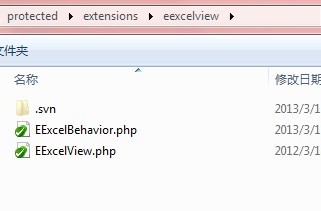
2.下载phpexcl到扩展目录
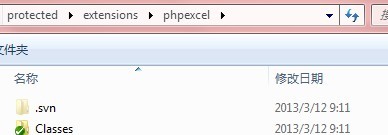
3.控制器调用:
/**
 * 导出列表,各商家保障金列表
 */
public function actionExport(){
 $model = $model=new Company('search');
 $model->unsetAttributes(); // clear any default values
 $model->zc_deposit_status = 2;//保障金审核通过的商家
 $companys = $model->search();
 $this->toExcel($companys,array('zc_name','zc_deposit'));
}
/**
 * 导出列表,商家保障金变动明细
 */
public function actionExportDeposit($id){
 $model=new CmpDeposit('search');
 $model->unsetAttributes(); // clear any default values
 $model->zm_id = $id;
 $data = $model->search();
 $company = Company::model()->findByPk($id);
 $this->toExcel($data,'',$company->zc_name.'网铺保障金明细');
}
public function behaviors()
{
 return array(
 'eexcelview'=>array(
 'class'=>'ext.eexcelview.EExcelBehavior',
 ),
 );
}
4.具体用法:
 * @param null string|CDataProvider|array $model the data provider for the grid.
 * @param null array $columns array with specif columns and its format. Defaults to all attributes.
 * @param null string $title title for the file
 * @param null array $documentDetails details of the document
 * @param null string $exportType format to export (Excel5,Excel2007, PDF, HTML, CSV). Defaults to Excel2007 (xlsx)
 */
public function toExcel($model=null, $columns=array(), $title=null, $documentDetails=array(), $exportType='Excel2007')